🎙️ How to Download AI Assistant Conversations as MP3
If you’ve ever wanted to save AI assistant conversations as audio files, our extension makes it easy. With just a few clicks, you can download AI assistant voice responses as MP3, choose from multiple voices, and even batch download an entire conversation. Whether you’re a student, a content creator, or just someone who prefers listening to text, this extension will boost your productivity.
🔑 Key Features
- Download AI assistant audio as MP3 – one-click save.
- Single message download – export any individual AI assistant reply.
- Batch download – save multiple messages from a full conversation.
- Multiple voice options – choose the style that suits you best.
- Lightweight & user-friendly – no complex setup required.
👉 Perfect for podcasters, language learners, bloggers, educators, and professionals who want to keep a library of AI assistant-generated audio.
🚀 Step-by-Step Guide
1. Install the extension
Download and install the extension from Chrome Webstore.
- Works directly inside AI assistant.
- No extra configuration required.
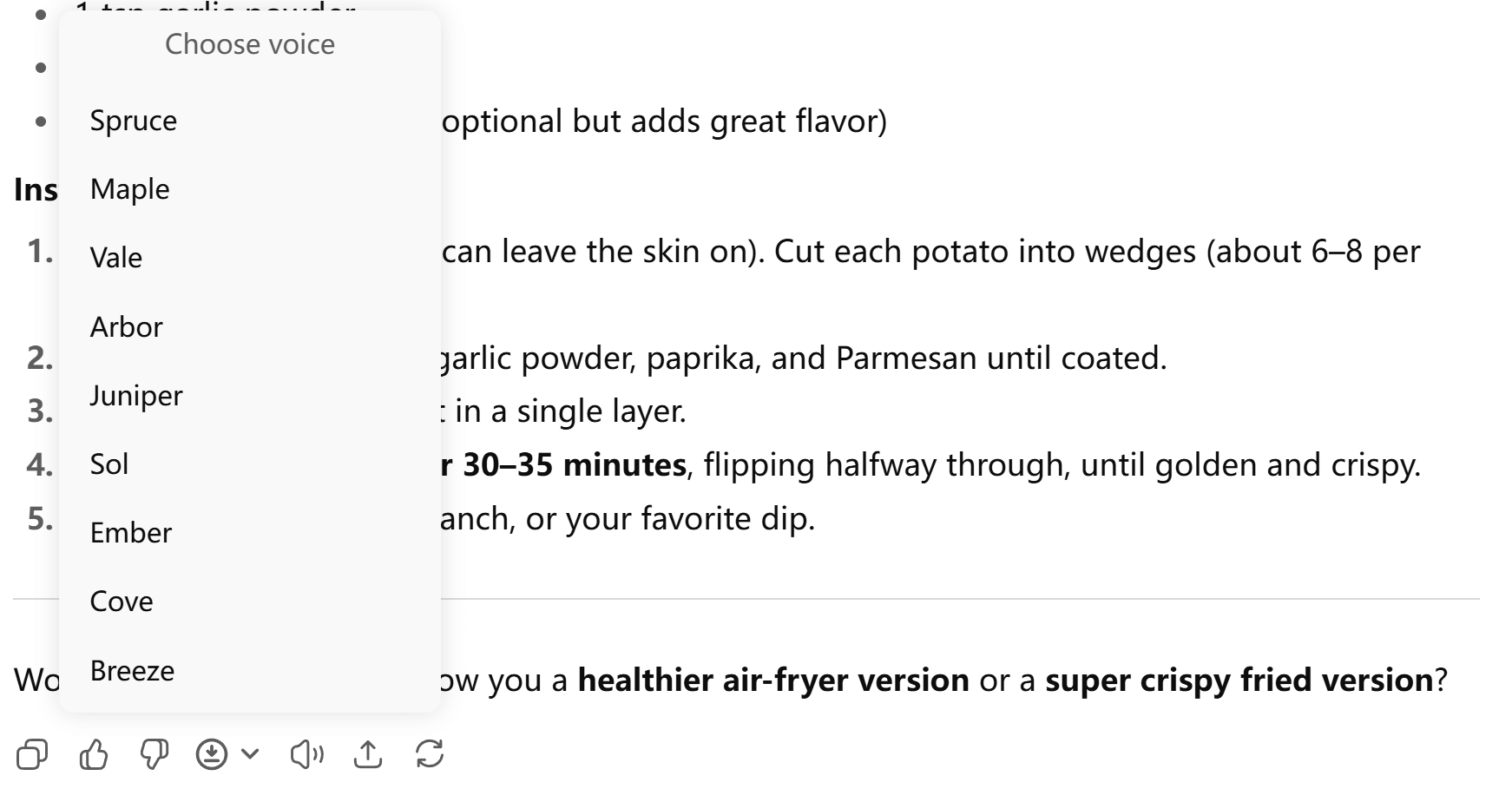
2. Download a Single Message as MP3
Hover over any AI assistant response and hover the Download MP3 button.
- Select your preferred AI voice from the available options.
- The extension will instantly generate an audio file.
- File is saved locally in
.mp3format.
3. Batch Download a Full Conversation
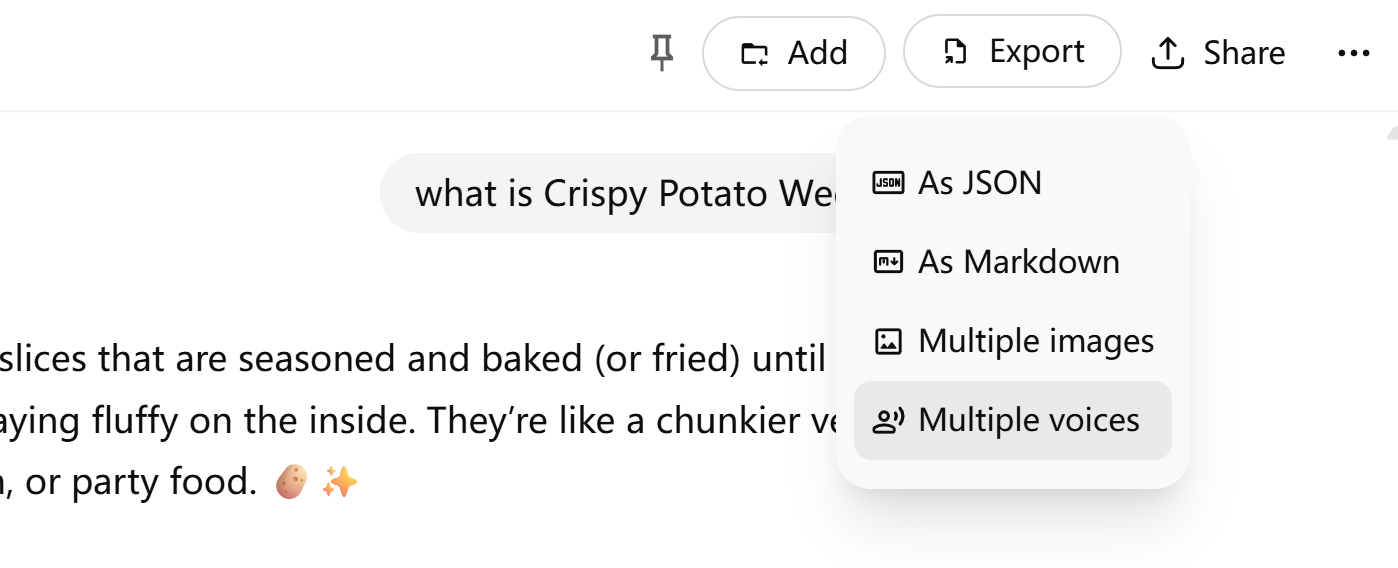
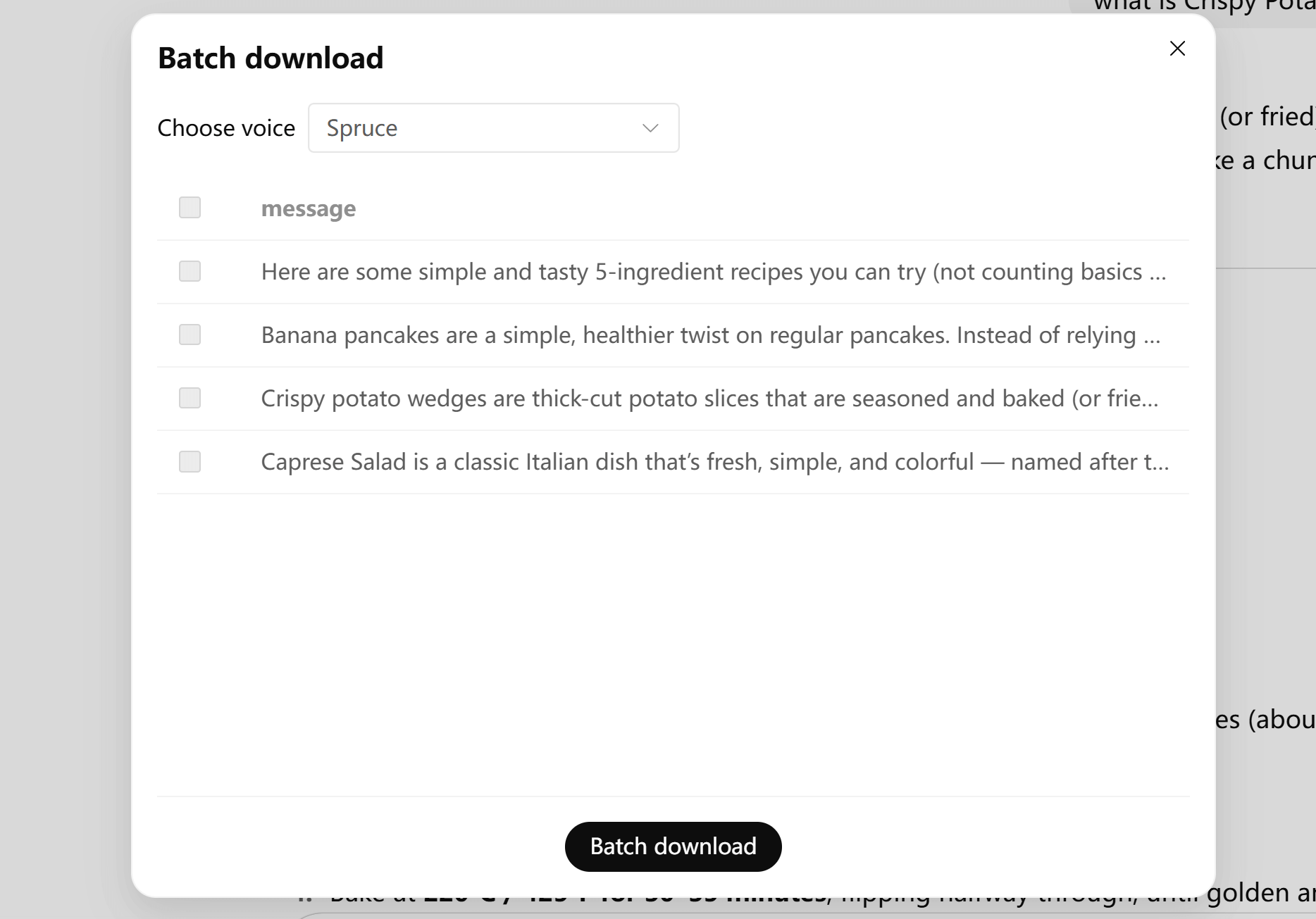
Need more than one reply? Use the Batch Download feature:
- Click the Export -> Multiple voices button.
- Select multiple messages or the entire conversation.
- The extension will generate MP3 files for each message.
Perfect for long discussions, interview transcripts, or study sessions.
5. Organize and Use Your MP3 Files
Once downloaded, your MP3s can be used anywhere:
- Listen offline while commuting.
- Add them into a podcast episode.
- Build an audio learning archive.
- Share with friends, students, or colleagues.
💡 Pro Tips
- Try different voices to see which works best for narration vs. casual listening.
- Use batch download to keep an organized audio record of your AI assistant projects.
- Combine with text exports for a dual text + audio study workflow.
📌 Why Use MP3 Downloads for AI Assistants?
- Accessibility – listen instead of reading, great for multitasking.
- Learning – language learners can practice by listening.
- Content creation – turn AI assistant responses into podcasts or video voiceovers.
- Archiving – store audio versions of important conversations.
✅ Conclusion
Our extension makes it simple to turn AI assistant responses into your personal audiobook library. With single and batch MP3 downloads, multiple voice options, and easy integration, you’ll never lose valuable conversations again.
👉 Try it now and start building your AI assistant audio library today.