
GPT X Folder Feature: Finally Solve the Messy Chat History Problem
1. Introduction
If you are a heavy AI assistant user, you have probably encountered these situations:
- Your chat history keeps growing, but you can’t find that one conversation where inspiration struck.
- Project-related discussions and casual chats are mixed together, creating chaos.
- The search function is limited, and you can only vaguely recall keywords.
This is the main pain point of AI assistant today: lack of systematic chat management.
To address this, we introduced the Folder Feature in GPT X, making your chat history neat and organized.
2. Pain Point Analysis: AI assistant’s Native Limitations
AI assistant’s native conversation management is almost “flat”:
- All chats are listed in the sidebar without hierarchy.
- No folders, no archiving, no categorization.
- Searching and organizing chats is inefficient and time-consuming.
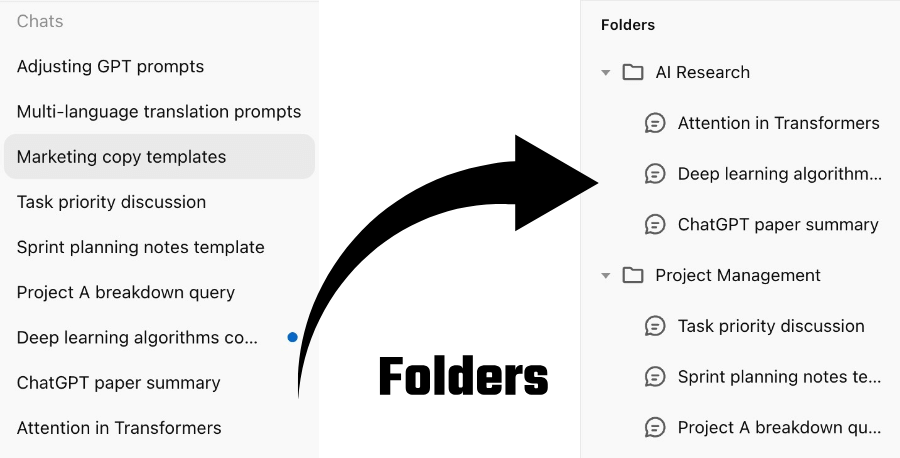
3. Highlights of GPT X Folder Feature
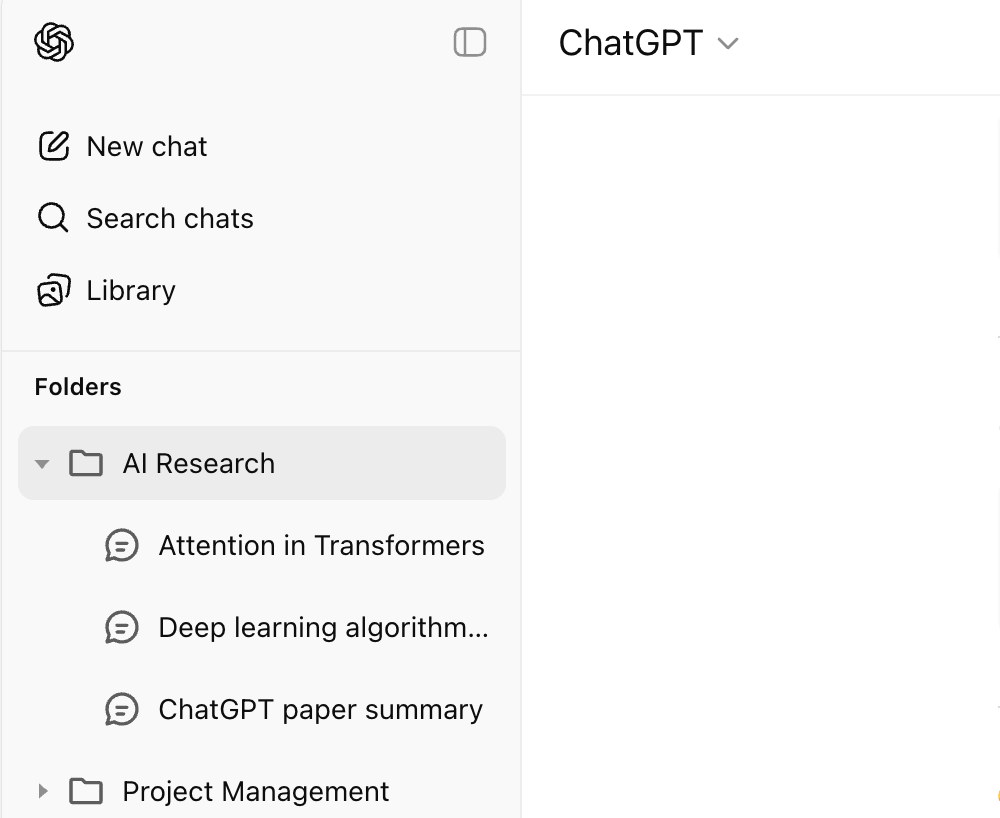
3.1 Sidebar Folder Tree
- Clear folder structure for easy navigation.
- Expand/collapse folders, manage chats like project files.
- Supports multi-level directories for complex needs.
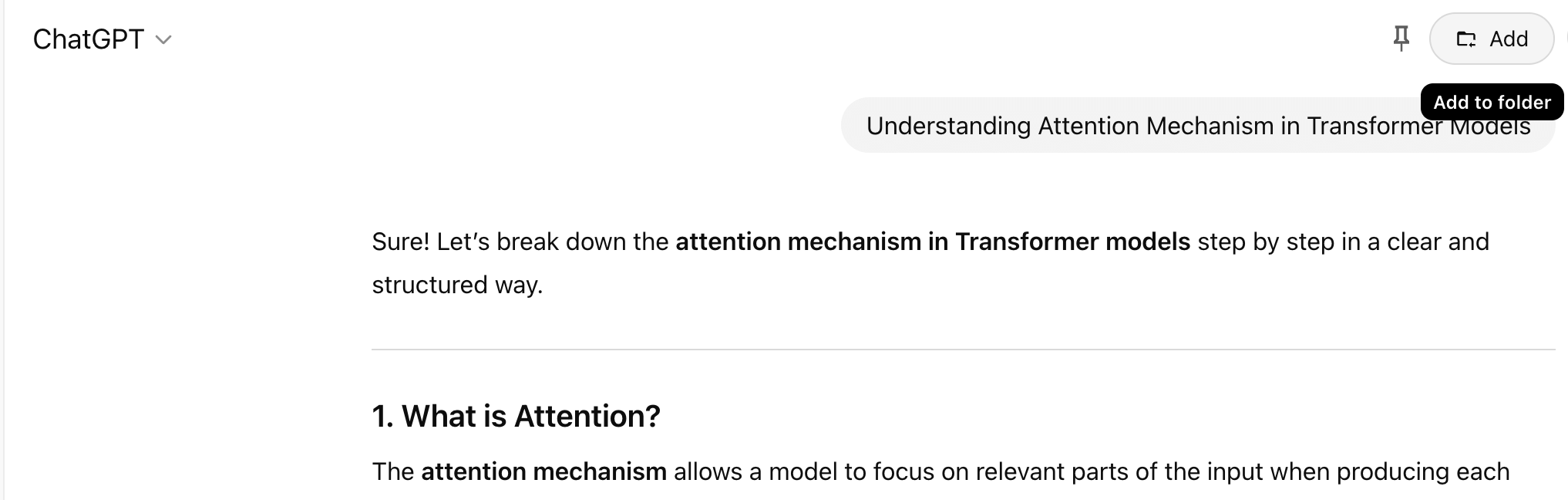
3.2 Quick Add from Chat Detail Page
- Quickly archive the current chat into a folder from the top-right corner of the chat detail page.
- No need to switch pages, organize on the go.
3.3 Folder Manager
This is the core control center of the folder feature:
- Add Folder: Quickly create new categories.
- Batch Select & Delete: Organize multiple folders at once.
- Batch Add Chats: Move multiple chats into a folder in one action.
- Drag & Drop Sorting: Arrange folder order and hierarchy according to preference.
- Real-time Search: Quickly find a folder or specific chat.
4. Conclusion & Outlook
The GPT X Folder Feature solves the biggest native pain point of AI assistant—disorganized chat history management:
- Manage chats like a file system.
- Quickly locate any conversation.
- Customize folder structures for different projects or needs.
In the future, we plan to add:
- Intelligent folder suggestions.
- Tag-based management.
- Deep integration with search.
If you are struggling with messy AI assistant chat history, try GPT X’ Folder Feature and bring order back to your conversations.